BankPlus Financial Software for Psion Computers


Available for the range of Psion machines, BankPlus for the Psion range offers a simple way to keep your bank and credit card accounts in order.
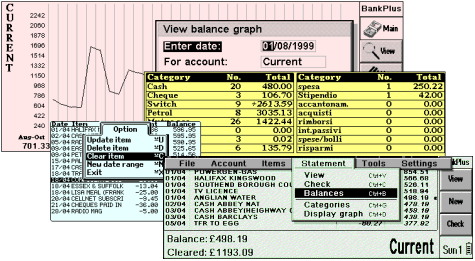
BankPlus is available for: Psion Series 5/5mx, Ericsson MC218, Psion Revo and Revo Plus, Diamond Mako, Psion Series 7/netBook, Psion Series 3a/3c/3mx , Acorn Pocketbook, Psion Siena, and Psion Series 3
- “BankPlus not only looks good, but it’s easy to use… All in all a great financial software solution for your Psion” (Two-page feature in PDA Essentials Magazine issue 10 – Jan 2003).
- “If a simple bank account manager is all that’s required, BankPlus is the obvious choice” (Palmtop magazine issue 33, March 2001).
- “…if you are looking for speed, simplicity, and a small footprint in your
always-sacred RAM, look no further.” (psionathome.co.uk, Feb 2002) - “A well-crafted application, honed by feedback from many registered users” (3
for all, 2000)
BankPlus Features:
Features include password protection, standing orders, inter-account transfers,
on-screen or printed statements, categories, statement verification, global balance,
graph view, currency converter, archiving and file export.
Keep your accounts in order with BankPlus. A free, unlimited evaluation version is available for download.
- Bank or Credit Card accounts – Allows for up to sixteen accounts.
- Password protection – To prevent casual prying.
- Monthly Standing Orders – Paid in advance to allow preplanning.
- Inter-Account transfers – Transfer funds from accounts with one transaction.
- Statements – On-screen or printed statements
- Archive – Save your old transactions into one file for future reference.
- Categories – To allow you to keep track of expenditure (Cash / Petrol / Cheque, etc)
- Statement verification – Check entries on your bank statement, and see if your bank has made any mistakes.
- Graph view – A one, three month or annual graphical overview of your accounts.
- Built-in currency converter – Convert and save foreign currency
transactions.
- Export – Export as text (comma or tab delimited). Basic Quicken export is also included.
- Global balances – Overview of all balances with the option to check balances on any given date.
- International support – Provision for different currency accounts / date formats.
- Full online help
 |
Click here to download the latest version, for free |
|
Click here for frequently-asked questions |
BankPlus Screenshots
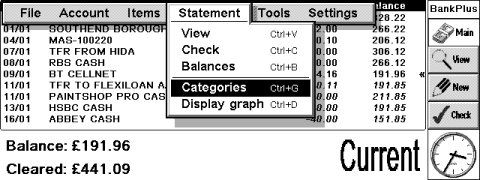
BankPlus on a Series 5mx
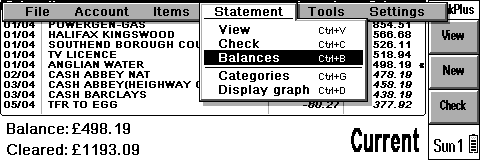
BankPlus on a Revo
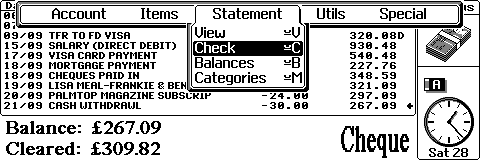
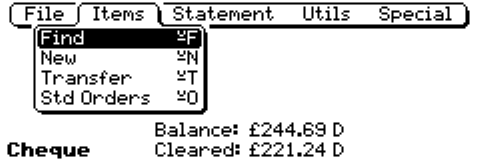
BankPlus’s main screen on a 3c
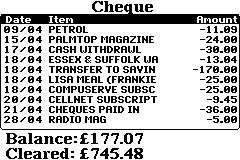
BankPlus main screen on a Psion Siena